Freelancing sounds simple from the outside. You choose your clients, work on your own schedule, and get paid for your skills. But anyone who has worked as a freelancer knows there is much more to it.
You also have to write emails, prepare proposals, research topics, create content, manage projects, attend client meetings, design visuals, track tasks, and chase deadlines. That is where AI can make a real difference.
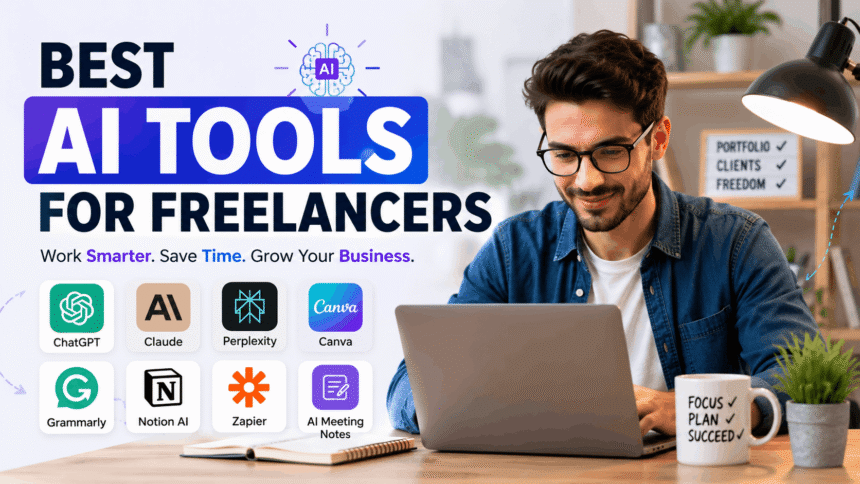
The Best AI Tools for Freelancers can reduce repetitive work, speed up everyday tasks, and give solo professionals more time to focus on the work clients actually pay for.
From writing and research to design and automation, here are some of the most useful AI tools freelancers can consider in 2026.
Why Should Freelancers Use AI Tools?
AI is not just about generating text. Modern AI tools can help with research, brainstorming, editing, design, meeting notes, workflow automation, and organization.
For a freelancer, even saving 30 minutes a day can add up quickly. More importantly, AI can take care of routine tasks while you spend your energy on creative decisions and client relationships.
A recent study of freelance knowledge workers also found that freelancers are increasingly using generative AI to support learning and skill development, although human judgment and verification remain important because AI can produce inconsistent results.
1. ChatGPT: Best Overall the best AI Tools for Freelancers
ChatGPT is one of the most flexible AI tools for freelancers because it can be used for many different jobs.
A writer can use it to brainstorm article ideas, create outlines, improve drafts, or develop content briefs. A virtual assistant can use it to organize information and draft emails. Developers can use it to understand code, troubleshoot problems, and generate ideas.
It can also help freelancers prepare proposals, client questionnaires, social media content, project plans, and business documents.
The biggest advantage is flexibility. Instead of using a separate tool for every small task, you can use one AI assistant across different parts of your freelance business.
Must Read: Claude AI Review for Writers: Features, Pricing, Pros & Cons 2026
2. Claude: Great for Long Documents and Detailed Work
Claude is another strong option for freelancers who regularly work with large amounts of text and information.
It can be useful for editing long documents, reviewing project materials, developing reports, and improving written content while maintaining context.
For freelance writers, editors, consultants, researchers, and marketers, this can be especially helpful when a project involves many pages of information.
The important thing is not to let AI replace your personal voice. Use it to improve the first draft, find weak areas, or explore ideas, then add your own experience and judgment.
3. Perplexity: A Powerful Research Assistant
Research can eat up a surprising amount of a freelancer’s day. Perplexity is designed to make that process faster.
Its Pro Search feature is built to provide detailed answers by synthesizing information from multiple sources, making it useful when you need to investigate a topic quickly.
Freelance writers can use it to research statistics, industry trends, competitor information, product details, and background information before starting a project.
However, research still needs human checking. Always open important sources and verify facts before using them in client work.
4. Canva AI: Best for Quick Visual Content
Not every freelancer is a professional designer, but many freelancers still need good-looking visuals.
Canva’s AI-powered Magic Studio brings multiple AI design features into one platform. It can help users generate content, speed up first drafts, automate parts of the design process, and create visual material without needing advanced design skills.
This makes Canva particularly useful for social media managers, coaches, consultants, marketers, bloggers, and small business freelancers.
You can use it for social posts, presentations, thumbnails, promotional graphics, simple ads, and client-ready visual content.
The real benefit is speed. Instead of starting every design from a blank page, AI can help you get to a usable first version much faster.
5. Grammarly: Polish Your Client Communication
A freelancer’s writing represents their business. A proposal with poor grammar or a rushed client email can make you look less professional.
Grammarly helps freelancers improve grammar, clarity, style, and communication. Its current AI features also include paragraph rewriting and writing assistance designed to help users move from rough drafts to polished documents faster.
This is especially useful for freelancers who send a lot of proposals, emails, reports, website copy, or social media content.
Think of Grammarly as the final quality check before you press Send.
6. Notion AI: Organize Your Freelance Business
Freelancers often have information scattered across emails, documents, notes, calendars, and project files. Notion AI can help bring more of that work into one organized workspace.
Notion AI can assist with writing, research, databases, files, and workspace information. Its AI Meeting Notes feature can also transcribe meetings, identify key points, and create summaries and action items.
For freelancers managing several clients at once, this can be extremely useful.
You could create a separate client workspace containing project requirements, meeting notes, deadlines, content ideas, and deliverables. That makes it much easier to find what you need without digging through multiple apps.
7. Zapier: Automate Repetitive Freelancer Tasks
Some freelance tasks are not difficult. They are simply repetitive.
For example, you may receive a client inquiry, add the information to a spreadsheet, create a task, send a confirmation email, and notify yourself about the new lead.
Zapier can connect different apps and automate these workflows. Its AI features can help build workflows, troubleshoot errors, format information, and add AI-powered steps to automated processes. Zapier currently supports connections across thousands of apps and can use AI for tasks such as summarizing, classifying, drafting, and making decisions within workflows.
This can save freelancers a lot of time because small administrative tasks no longer have to be handled manually every time.
8. AI Meeting Notes in Notion: Never Lose Client Details
Client meetings can contain important information that is easy to forget. A missed deadline, change in project scope, or small client preference can create a bigger problem later.
Notion’s AI Meeting Notes can capture conversations, create summaries, and identify action items. The company also recommends getting consent from meeting participants before recording and transcribing conversations.
For freelancers who regularly work with clients through Zoom, Google Meet, Microsoft Teams, or other video platforms, AI-powered meeting notes can make follow-ups much easier.
After a meeting, you can quickly review what was discussed and turn those points into your next steps.
How to Choose the Right AI Tools as a Freelancer
You do not need 20 different AI subscriptions to become more productive.
In fact, having too many tools can create another problem. You may spend more time learning and switching between platforms than actually doing your work.
Start with the tasks that consume the most time in your business.
A freelance writer might need ChatGPT, Grammarly, and Perplexity. A social media freelancer may get more value from ChatGPT, Canva, and an automation tool such as Zapier. A consultant may prefer ChatGPT, Notion AI, and AI meeting tools.
The best setup is the one that fits your actual workflow.
Use AI as an Assistant, Not a Replacement
AI can help you work faster, but it should not become a substitute for your expertise.
Generated content can contain errors. Research can be incomplete. Writing can sound generic. Images may need editing. Client communication often requires context that AI does not fully understand.
Your experience is still the valuable part.
Use AI to handle the repetitive work, generate ideas, organize information, and speed up your first draft. Then bring your own judgment, creativity, knowledge, and personality to the final result.
That approach can help you deliver better work without making your freelance business feel automated.
Final Thoughts
The Best AI Tools for Freelancers are not necessarily the tools with the longest feature lists. They are the tools that solve real problems in your daily workflow.
ChatGPT can help with general tasks and content. Claude is useful for detailed writing and large documents. Perplexity can speed up research. Canva helps create visual content. Grammarly improves communication. Notion AI keeps work organized, while Zapier can automate repetitive processes.
You do not need to use all of them. Pick two or three that solve your biggest bottlenecks and build them into your routine.
The goal is simple: spend less time on repetitive tasks and more time doing the work that earns you money.