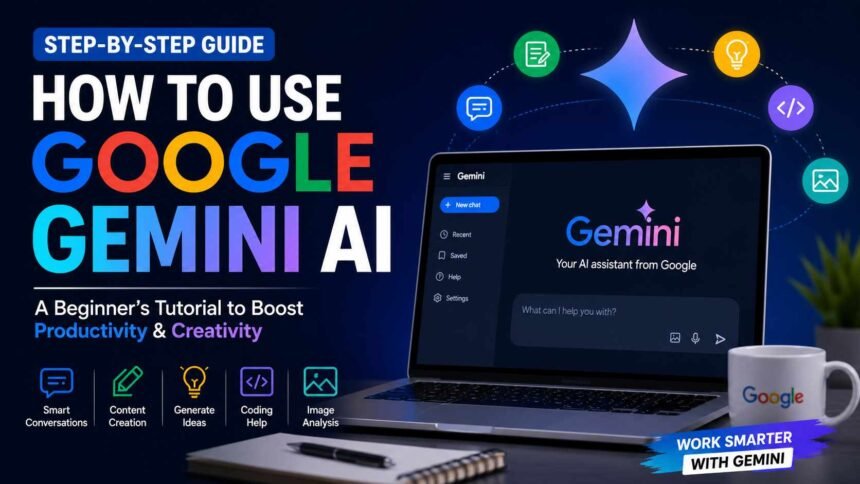
Artificial Intelligence is changing the way people search, write, learn, and work. One of the most exciting AI tools available today is Google Gemini. Whether you are a student, blogger, business owner, or someone who simply wants to save time, Gemini can help you complete daily tasks much faster.
In this Google Gemini tutorial, you will learn what Google Gemini is, how to use it, its best features, useful prompts, and tips to get better results. By the end of this guide, you will feel confident using Gemini for both personal and professional work.
What is Google Gemini?
Google Gemini is Google’s advanced AI assistant. It can answer questions, write content, summarize long documents, generate ideas, help with coding, translate languages, and even analyze images.
Unlike a normal search engine, Gemini understands natural conversations. You can ask follow-up questions, refine your requests, and receive more detailed answers without starting over.
Today, millions of people use Gemini to improve productivity and complete tasks in less time.
Why Should You Use Google Gemini?
There are many reasons why people are switching to Gemini.
Some of the biggest benefits include:
- Fast answers to complex questions
- Content writing assistance
- Brainstorming fresh ideas
- Email and document creation
- Coding support
- Language translation
- Image understanding
- Learning new topics quickly
Whether you work in an office or study at home, Gemini can become your everyday AI assistant.
How to Access Google Gemini
Getting started is simple.
Step 1: Open Gemini-Visit the official Google Gemini website.
Step 2: Sign In-Log in using your Google account.
Step 3: Start Chatting- Once logged in, you will see a chat box where you can type your questions or requests.
That’s it. You can start using Gemini immediately.
Must Read: How to Write Better AI Prompts: 15 Powerful AI Prompts Examples That Work
Google Gemini Tutorial: How to Use It Step by Step
If this is your first time using Gemini, follow these easy steps.
Ask Simple Questions
Start by typing simple questions like:
- Explain blockchain in simple words.
- What are the benefits of electric cars?
- Give me healthy breakfast ideas.
Gemini will generate detailed answers within seconds.
Write Better Content
One of the most popular uses of Gemini is content creation.
You can ask it to write:
- Blog posts
- Social media captions
- Product descriptions
- Emails
- YouTube scripts
- Business ideas
The better your instructions, the better the output.
Example prompt:
“Write a 700-word blog on electric scooters in simple English.”
Summarize Long Articles
Reading lengthy articles takes time. Simply paste the content into Gemini and ask: “Summarize this article in five easy points.” It quickly provides a short and clear summary.
Generate Creative Ideas
Running out of ideas?
Gemini can help you generate ideas for:
- Blog topics
- Startup names
- Marketing campaigns
- Video concepts
- Book titles
- Business plans
This makes brainstorming much easier.
Learn New Skills
Gemini is also an excellent learning partner.
Ask questions like:
- Explain Python programming for beginners.
- Teach me Excel formulas.
- What is machine learning?
It explains concepts in simple language.
Improve Your Writing
If you’ve written something yourself, Gemini can help polish it.
It can:
- Fix grammar
- Improve sentence flow
- Make writing more professional
- Simplify difficult language
This is useful for students, bloggers, and professionals.
Best Features of Google Gemini
Here are some of the most useful features available in Gemini.
Natural Conversations: Gemini remembers the context of your conversation, making follow-up questions easier.
Fast Responses: Most answers are generated within seconds.
Multiple Language Support: You can communicate in many languages, making it useful worldwide.
Image Analysis: Upload an image and ask Gemini questions about it.
Coding Assistance: Developers can generate code, debug errors, and understand programming concepts faster.
Google Integration: Gemini works well with many Google services, making workflows smoother.
Tips to Get Better Results from Gemini
Using better prompts leads to better answers.
Here are some useful tips.
Be Specific
Instead of writing:
“Write about AI.”
Try:
“Write a 1000-word beginner-friendly article about AI tools for students.”
Mention the Tone
Tell Gemini exactly how you want the content.
Examples include:
- Professional
- Friendly
- Casual
- Formal
- Simple English
Set Word Count
If you need a long article, specify it.
Example:
“Write a 1200-word SEO-friendly blog.”
Ask Follow-Up Questions
Don’t stop after one answer.
Ask:
- Can you simplify this?
- Give more examples.
- Make it beginner friendly.
This improves the final result.
Common Uses of Google Gemini
People use Gemini for many different tasks.
Some popular examples include:
- Writing blog articles
- Creating marketing content
- Learning new subjects
- Research assistance
- Resume writing
- Travel planning
- Coding help
- Homework support
- Business planning
- Daily productivity
Its flexibility makes it valuable for almost everyone.
Common Mistakes to Avoid
Many beginners don’t get the best results because they make these mistakes.
Giving Very Short Prompts: Short instructions usually produce generic answers. Always explain what you need.
Expecting Perfect Results Instantly: Sometimes you need to ask follow-up questions or refine the prompt.
Not Checking the Output: Always review facts, grammar, and important details before publishing or sharing AI-generated content.
Is Google Gemini Free?
Google Gemini offers a free version that covers many everyday tasks. For users who need higher usage limits, more advanced AI models, or additional features, Google also provides paid subscription options.
For most beginners, the free version is more than enough to explore the platform and complete daily work.
Google Gemini vs ChatGPT
Many people compare these two AI tools.
Google Gemini works especially well with Google’s ecosystem and offers strong integration with Google services.
ChatGPT is widely known for natural conversations, creative writing, coding support, and detailed explanations.
The best choice depends on your needs. Many professionals even use both tools together to increase productivity.
The Bottom Line
Learning how to use AI doesn’t have to be difficult. This Google Gemini tutorial shows that anyone can start using Gemini within a few minutes. From writing blogs and emails to learning new skills and organizing daily work, Gemini can save valuable time and improve productivity.
The key is to write clear prompts, experiment with different requests, and refine the answers until they match your needs. As you continue using Gemini, you’ll discover new ways to simplify your work and boost your creativity.
If you’re looking for an AI assistant that is easy to use and packed with powerful features, Google Gemini is definitely worth exploring.