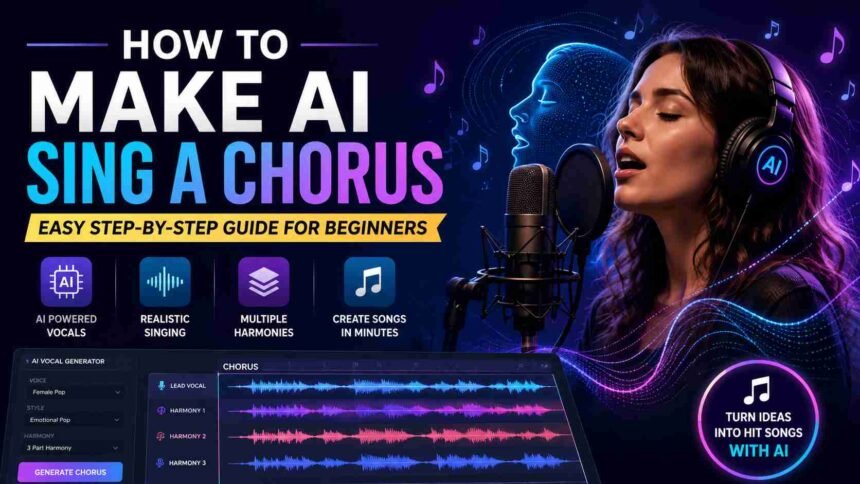
Artificial intelligence is changing the way people create music. Today, you don’t need a professional recording studio or a team of singers to produce amazing vocals. With the help of modern AI music tools, anyone can create realistic harmonies, layered vocals, and catchy choruses within minutes.
If you have been wondering how to make AI sing a chorus, you are in the right place. This guide explains the complete process in simple English. Whether you are a YouTuber, songwriter, music producer, content creator, or beginner, you’ll learn how AI can help you build professional-sounding choruses without spending thousands of dollars.
What Does It Mean to Make AI Sing a Chorus?
Before learning how to make AI sing a chorus, it helps to understand what a chorus is.
A chorus is the most memorable part of a song. It usually contains the main message and repeats several times throughout the track. Because it is repeated, the chorus needs to sound powerful, emotional, and catchy.
AI music generators can now create:
- Lead vocals
- Background harmonies
- Choir-style singing
- Multiple vocal layers
- Different singing styles
- Various voice tones
Instead of recording several singers, AI creates realistic vocal performances from text, melodies, or MIDI files.
Must Read: Google Gemini Tutorial: How to Use Google’s AI Like a Pro
How to Make AI Sing a Chorus Step by Step
Now let’s go through the complete process.
Step 1: Write Strong Chorus Lyrics
Every great chorus starts with meaningful lyrics.
Keep your chorus:
- Short
- Emotional
- Easy to remember
- Simple to sing
- Repetitive enough to stick in listeners’ minds
Example:
We rise together, never let go,
Shining brighter than we’ll ever know.
Simple lines often create the strongest choruses.
Step 2: Choose an AI Singing Tool
Several AI platforms can generate realistic vocals.
Popular choices include:
- Suno AI
- Udio
- Kits AI
- Voicemod AI Voice Lab
- ACE Studio
Each platform offers different voice styles and customization options.
Choose one based on your music genre and production needs.
Step 3: Select the Voice Style
Most AI tools allow you to choose voices such as:
- Male vocals
- Female vocals
- Choir vocals
- Pop singers
- Rock vocals
- R&B voices
- Country vocals
- Cinematic voices
Pick a voice that matches the emotion of your song.
Step 4: Add Melody or Lyrics
Depending on the software, you may:
- Paste your lyrics
- Upload MIDI
- Hum a melody
- Record guide vocals
- Enter musical notes
The AI analyzes your input and creates a sung version.
Step 5: Generate the Chorus
Click the generate button.
Within seconds or minutes, the AI produces a complete chorus performance.
Listen carefully to:
- Pronunciation
- Emotion
- Timing
- Vocal quality
- Pitch accuracy
If needed, generate multiple versions.
Step 6: Improve the Harmony
One of the biggest strengths of AI is automatic harmony generation.
You can create:
- Two-part harmony
- Three-part harmony
- Four-part choir
- Gospel-style chorus
- Layered background vocals
These vocal layers make your chorus sound much richer.
Step 7: Edit and Mix
After generating vocals, polish the final output.
Adjust:
- Volume
- Reverb
- Delay
- EQ
- Compression
- Stereo width
Even simple editing can make AI vocals sound much more professional.
Best AI Tools for Chorus Singing
Here are some of the most popular AI music platforms.
Suno AI
Suno AI creates complete songs from text prompts. It is ideal for beginners who want quick music generation.
Udio
Udio offers realistic vocals and impressive music quality. Many creators use it for commercial-quality demos.
Kits AI
Kits AI focuses on AI voice generation and voice cloning. It is useful for producers who want custom vocal performances.
ACE Studio
ACE Studio gives users more control over vocal editing, expression, and pitch.
Tips for Making AI Choruses Sound More Natural
Learning how to make AI sing a chorus is only the beginning. These tips can improve the final result.
Keep Lyrics Simple: Avoid complicated words that are difficult to pronounce.
Use Emotional Words: Words that express love, hope, victory, or excitement usually sound stronger in a chorus.
Layer Multiple Voices: Adding background harmonies creates a fuller and more realistic sound.
Avoid Overprocessing: Too many audio effects can make AI vocals sound artificial.
Generate Multiple Versions: Never settle for the first result. Compare several outputs and choose the best one.
Common Mistakes to Avoid
Many beginners make these mistakes.
Writing Long Choruses: Short choruses are usually more memorable.
Ignoring Emotion: Even AI-generated vocals need emotional lyrics to connect with listeners.
Using Only One Vocal Layer: Professional songs often contain several vocal tracks.
Choosing the Wrong Voice: A soft voice may not fit a rock song, while an aggressive voice may not suit a romantic ballad. Always match the voice to your music style.
Can You Use AI Choruses for YouTube or Spotify?
Yes, but always check the licensing rules of the AI platform you use.
Some tools allow commercial use, while others have restrictions depending on your subscription plan.
Before publishing your music:
- Read the licensing agreement.
- Verify commercial rights.
- Understand any attribution requirements.
- Check copyright policies.
Following these rules helps avoid future legal issues.
Is AI Replacing Human Singers?
Not really. AI is becoming an excellent creative assistant rather than a complete replacement for human artists.
Many musicians use AI to:
- Build song ideas
- Create demos
- Generate harmonies
- Test melodies
- Speed up production
Human creativity still plays the biggest role in writing meaningful lyrics and delivering genuine emotion.
Who Can Benefit from AI Chorus Generators?
AI chorus tools are useful for many types of creators.
They are especially helpful for:
- Independent musicians
- YouTube creators
- Podcast producers
- Music teachers
- Students
- Content creators
- Marketing agencies
- Advertising teams
- Social media influencers
- Small music studios
Whether you’re creating a full song or a short promotional jingle, AI can save time while maintaining high-quality results.
Future of AI Singing Technology
AI singing technology continues to improve every year. Future tools will likely offer even better emotional expression, multilingual singing, live vocal editing, and highly realistic harmonies.
We can also expect AI to integrate more deeply with professional music software, making it easier for artists to collaborate with intelligent music assistants.
For creators, this means faster workflows, more creative freedom, and greater access to professional-quality music production.
The Bottom Line
Learning how to make AI sing a chorus is easier than ever thanks to modern AI music generators. You no longer need expensive equipment or years of production experience to create impressive vocal harmonies.
The secret is combining creative lyrics, the right AI tool, suitable voice selection, and careful editing. AI can handle much of the technical work, but your ideas and creativity remain the heart of every great song.
As AI music technology continues to evolve, creators who learn these tools today will be better prepared to produce high-quality music for YouTube, Spotify, social media, podcasts, and beyond.